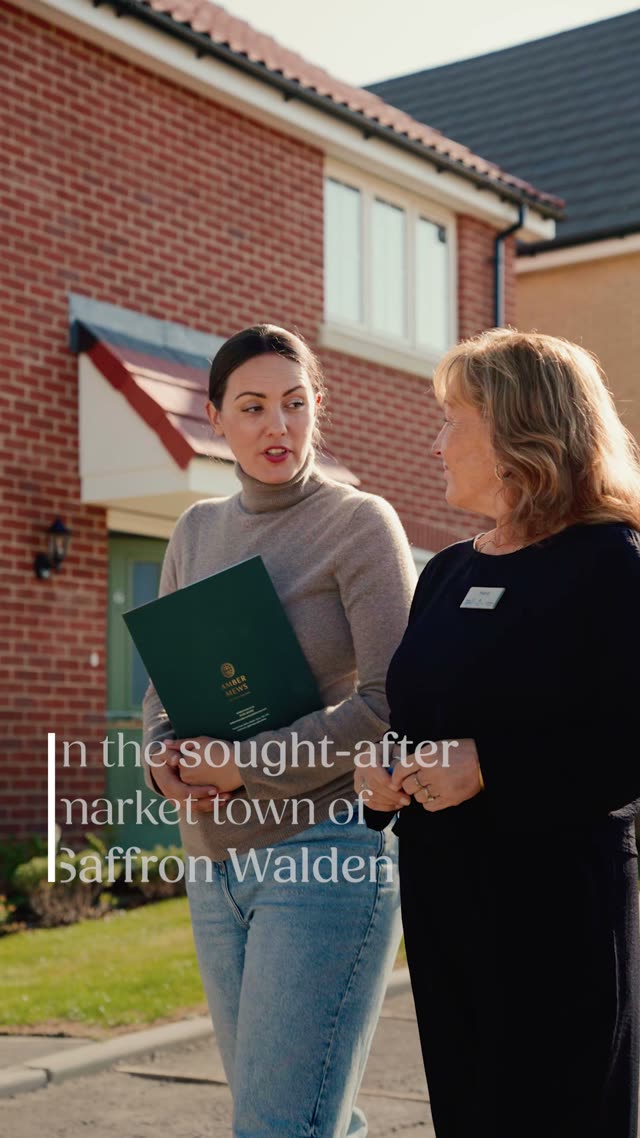
From a scroll on Instagram to a booked viewing at the show home
One system, five parts. Meta finds the right people, the form and the film qualify them, HighLevel follows up in minutes, the on-site team books the viewing, and every booked viewing goes back to Meta so it finds more people like them.
Meta
Ads in three areas
Leads campaign under the Housing category, one ad set per area, plus retargeting.
→
Capture
Higher-intent form
Four questions, consent ticks, then the full film on the landing page.
→
HighLevel + AI
Qualify in minutes, 24/7
Chat and voice agents reply in under a minute, qualify, and book viewing requests.
→
Sales team
Call and book
Viewing requests confirmed by phone, reminders automated.
→
Back to Meta
Quality signal
Qualified, viewing requested and viewing booked sent to Meta.
The decisions in short
Objective: Leads, with a Higher-intent Instant Form. The landing page and consideration film are where leads and warm audiences go next.
A/B test: three ad sets with fixed, equal budgets and identical ads. Only the area changes.
Budget assumed: £75 a day. £20 per area, £15 retargeting. The split works at any budget.
Targeting: broad inside each area. Creative, price and the form do the filtering.
Judged on: cost per qualified lead and cost per viewing request, not cost per lead.
HighLevel: 8 workflows, one pipeline, and two AI agents (chat and voice) that qualify every lead 24/7 and hand the ready ones to the sales team.
Facts I'm working from
Countryside Homes, Thaxted Road, CB10 2SG. 2 to 5 bedroom homes, from £399,995 (Holly, 2 bed) to £864,995 (Hazel, 5 bed).
Homes are ready to move into. Show home open Wednesday to Sunday, 10am to 5pm.
Offers on selected homes for completions by 31 December 2026, including a Mortgage Break of up to £25,000.
Saffron Walden was named the UK's best place to live by The Sunday Times in 2025.
Audley End to Cambridge about 16 minutes, to Liverpool Street from about 55 minutes.
Taken from the Countryside listing and property portals, October 2026. Every price and offer gets signed off before it goes in an ad.
Key ideaCheap leads are easy. The goal is booked viewings, so every part of this plan, from the ad to the follow-up, is judged by how many people actually walk into the show home.
01
Launch strategy for Meta
Structure, the area test and the first two weeks
One Leads campaign split into three equal areas, one retargeting campaign, and a two-week plan where I change as little as possible.
Objective: Leads, with an Instant Form
I'd launch on the Leads objective with a Higher-intent Instant Form. The form opens inside
Facebook or Instagram with the name, email and phone already filled in, so it converts well on mobile. The
Higher-intent setting adds a review screen before submitting, which cuts accidental and low-effort leads.
The landing page with the consideration film is not wasted. It becomes the next step: the form's
thank-you screen, every nurture message and the retargeting ads all point to it.
Week 3 test: the same ads with the landing page as the destination, once the pixel and
Conversions API have a few weeks of clean data. Then the two routes compete on cost per viewing request.
Why not CBO for the test
With campaign budget optimisation, Meta moves spend to whichever area gets the cheapest leads first.
That ends the test before it starts, and cheap is not the same as good.
So the prospecting campaign uses ad set budgets: three ad sets, the same daily budget, the same
four ads, launched at the same minute. The area is the only thing that changes. If Meta's A/B test
tool is available under the Housing category on the account, I'd wrap the three ad sets in it to get a
confidence score. If not, the manual version is just as clean.
CBO comes back once there's a winner, to scale it.
Campaign structure
Ad set settings
Setting
Choice
Why
Special Ad Category
Housing, declared at campaign level
Required. It locks age, gender and postcodes, see section 2.
Location
One pin per ad set, 15 km radius
Smallest radius allowed. Pins placed so the areas barely overlap.
Age and gender
18 to 65+, all (locked)
Not editable under Housing.
Audience
Advantage+ audience, no suggestions
Lets the creative and the form signal decide who sees it.
Exclusions
Existing leads and reserved buyers
Custom audience exclusions are still allowed. No paying twice for the same person.
Placements
Advantage+ placements
The 9:16 cut serves Reels and Stories, the 4:5 cut serves Feed.
Optimise for
Leads, highest volume, no cost cap
No data yet to set a cap. A cap comes once I know the real cost per qualified lead.
Attribution
7 day click, 1 day view
Standard, and matches how I'd report.
Naming
AM_PROS_LEADS_B-CAM_15km, AM_AD_15s-buyer-line_v1
Area and ad read straight from the report and from the HighLevel contact record.
Budget split
£20
a day, Local
£20
a day, Cambridge
£20
a day, London
Plus £15 a day for retargeting from day 4, when the warm audiences have built up. That's
£75 a day, about £2,250 a month. I've assumed this figure. At a different budget the split stays the same:
80% prospecting, split equally across the areas, and 20% retargeting.
An honest note on volume. At £20 a day per area, each area will bring in roughly 10 to 15 leads in two weeks. That's enough to spot a clear loser but not to crown a winner. So day 14 is a small, directional budget move (up to 20%). The firm call comes at around day 28, or once each area has about 25 leads that the sales team has spoken to. None of the ad sets will leave Meta's learning phase at this spend (it needs about 50 leads a week), so I keep edits to a minimum. Every edit restarts learning.
The first two weeks
When
What I do
What I'm looking at
Days -5 to 0
Access, Housing category set up, pixel and Conversions API, domain check. Build the form, the HighLevel pipeline and the workflows. Send test leads through Meta's Lead Ads Testing Tool and follow each one all the way to the sales team's phone. Brief the sales team on the lead card and response times.
Does a test lead reach HighLevel in under a minute, with the area and ad saved, and trigger the right texts and tasks?
Day 1
Launch all three areas at the same time.
Ads approved, spend pacing, first leads arriving.
Days 2 to 3
Hands off. 10 minute daily check only.
Disapprovals, broken links, leads not syncing, speed to lead.
Day 4
Switch on retargeting.
Warm audience sizes (video viewers, engagers, form openers).
Days 5 to 7
First creative read. Pause any ad that is clearly losing, in all three areas at once so they stay identical.
Hook rate, click-through rate, form completion rate, cost per lead per ad.
Day 7
15 minute review with the sales team. First weekly report.
Contact rate, qualified rate, viewing requests, what buyers are asking about.
Days 8 to 10
Add two new ads built from week 1 (the best hook, the most common question).
Whether the new hooks beat the originals.
Days 11 to 13
Hold steady.
Let the data build.
Day 14
Area read. Move up to 20% of budget from the weakest to the strongest area. Plan weeks 3 and 4: area-specific hooks, the landing page test.
Cost per qualified lead and cost per viewing request, by area.
Key ideaThe area is the only thing that changes. Same ads, same budget, same start time, so the result belongs to the place and nothing else.
Your Russet Place campaign warmed an audience first and then asked for leads. Amber Mews is different: homes are ready to move into and the offers end on 31 December, so I'd ask for the lead from day one and let retargeting do the warming in parallel.
02
Targeting under the Special Ad Category
When I can't pick the audience, the ad has to
Housing takes away age, postcodes, lookalikes and detailed targeting. What's left is where the ad shows, what it says, and what the form asks.
What the Housing category takes away, and what's left
Lever
Under Housing
What I do instead
Age
Locked to 18 to 65+
Life-stage hooks in the creative: first family home vs easier living.
Gender
All genders
Nothing needed.
Postcodes
Not allowed
Pins with a radius.
Location
Cities, addresses or pins with a minimum radius (15 km for Europe). No location exclusions.
Pins placed so the areas barely touch (map below).
Detailed targeting
Limited list of interests, no exclusions
Run broad. Interests only as a later test if broad struggles.
Lookalikes
Not available
Conversions API stage signals teach Meta who qualifies (section 4).
Custom audiences
Still available: video viewers, page and Instagram engagers, form openers, site visitors. Customer lists need Meta's certification first.
This is what makes retargeting work (section 3).
Meta changes these settings without much notice, and the UK sits under Meta's "certain parts of Europe" wording. I'd confirm every row in Ads Manager on day one, not rely on the help pages.
The three test areas (schematic, roughly to scale)
A LocalB CambridgeC LondonRail line to Liverpool Street
A · Local
Pin on the site itself. 15 km takes in the town, Newport, Thaxted and the villages towards Linton. These are people who already love the area: renters wanting to buy, owners wanting more space or less of it.
B · Cambridge
Pin on the north side of the city, not the centre, so the circle stays apart from Local. It still covers the whole city and the biomedical campus. There's a thin overlap band around Sawston and Great Shelford. I'd accept it rather than shrink Cambridge, because both areas run the same ads in weeks 1 and 2, so the overlap can't skew the comparison.
C · London
Here's the catch: Housing doesn't let me pick affluent neighbourhoods. Any pin with a 15 km radius covers most of inner London. So I put the pin in north-east London, along the line that runs from Liverpool Street through Tottenham Hale to Audley End, and let price and copy do the filtering.
How the right buyers get through when targeting cannot pick them
1Where
Three 15 km areas. Everyone 18 to 65+ inside them is eligible.
2Who stops scrolling
Hooks written for one life stage each: first family home, easier living, the commute.
3Who keeps reading
Facts in the copy that self-select: from £399,995, ready to move into, 16 min to Cambridge.
4Who submits
Higher-intent form with four questions: home size, timing, buying position, mortgage.
5Who Meta looks for next
Qualified and viewing-booked signals sent back from HighLevel.
Each layer is a filter I control. Geography is the only one Meta lets me set; the other four do the work interests and age used to do.
Key ideaWhen I can't choose who sees the ad, the ad chooses who stops. Price, place and life stage in the first line do the work that age and interests used to.
Messaging that does the targeting
Each hook speaks to one buyer so clearly that the right person stops and everyone else scrolls on. I
describe the home and the life it allows, never the person, which keeps the copy inside Meta's
discrimination rules.
Who
What they care about
Hook
Proof in the ad
Footage
First family home
Space, a garden, schools, room to grow
"Room for everyone, and a garden that gets the sun."
3 to 5 bedrooms, Outstanding-rated secondary school in town
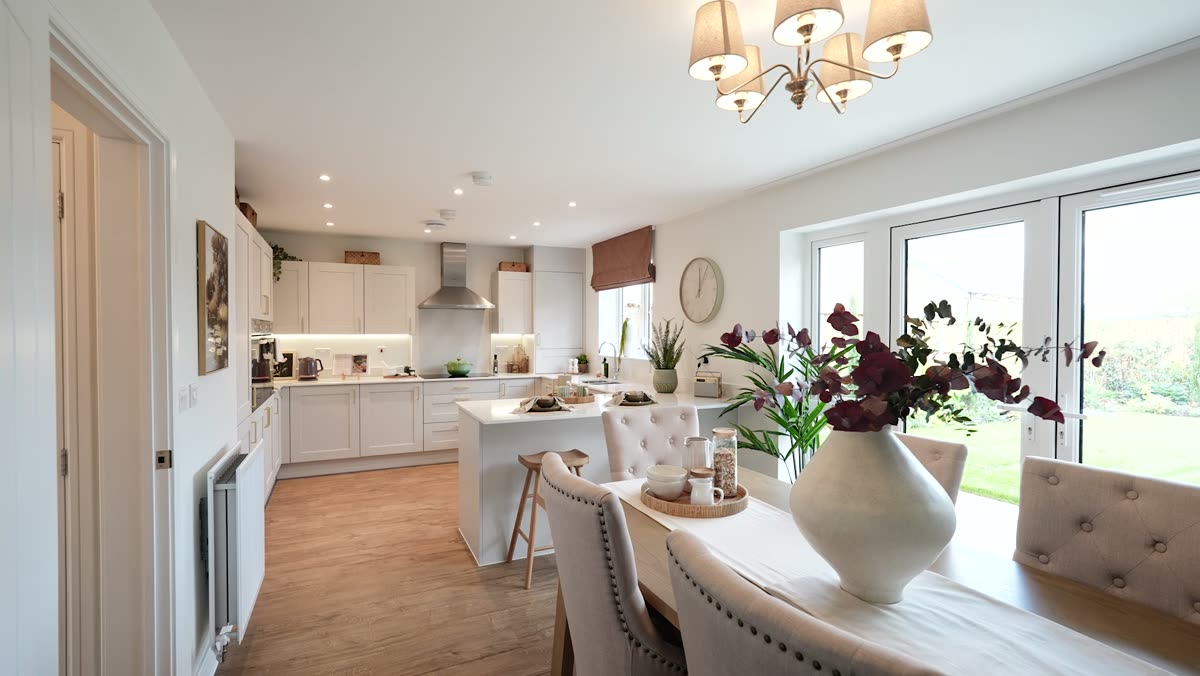
Kitchen diner, garden, living room
Easier living (downsizers)
Less upkeep, warmth, walking to things, quality
"Less upkeep. More Saturday mornings at the market."
New build with a 10-year NHBC warranty, walking distance to the town centre
Market, bakery, kitchen, no child shots
The commute (Cambridge and London)
Time, space for the money, the town itself
"Cambridge in about 16 minutes. A garden you'll actually use."
Train times, from £399,995, ready to move into
Map frame, Cambridge, street scenes
Area-specific hooks (from week 3)
Local: "Already love Saffron Walden? Move up without moving away."
Cambridge: "More home for your money, 16 minutes from Cambridge by train."
London: "Swap the flat for a four-bedroom home with a garden. Liverpool Street from about 55 minutes."
Held back until week 3, so weeks 1 and 2 test the area alone, not the area plus the copy.
Words I'd avoid
"Perfect for young families", "ideal for retirees", "over 55s". These describe the person, and Meta's policy lists age and family status.
"Help to Buy". The scheme closed in 2023.
An unqualified "from £399,995" next to a bigger home. The ASA's November 2025 new-build guidance wants the price to match the home shown, or an "image shows optional upgrades" line.
03
Creative and retargeting
Two films, four launch ads, and a sequence for warm audiences
Use the strongest moments of each film where they work best, then add cheap formats that answer the questions the films don't.
The short ad (43s, 9:16)
What works: it opens on a buyer's voice ("We've been looking in Saffron Walden for such a long time"),
which is the most scroll-stopping line in either film. It sells the town (the bakery, the flower market) as
much as the house, and it ends on a clear ask.
What I'd change:
The name Amber Mews doesn't appear until 37 seconds. Add it in the first 3 seconds.
The voice stops at 11 seconds, and most people watch muted. Burn in captions.
No price, size or "ready to move into" anywhere. Add one line around 5 seconds. This is the biggest filter I have.
The visuals lean towards young families. That's fine for one cut. Make a second from the same footage for downsizers.
The consideration film (96s, 16:9)
What works: it answers the considered buyer's questions in order: the homes, the gardens, the
town, the map, Cambridge. It's music only, so it plays perfectly on mute on the landing page.
How I'd use it:
Top of the landing page, autoplay muted, with chapter labels: The homes · The town · Getting around.
Cut into three 20 to 30 second chapters (4:5) to retarget people who watched half the short ad.
Add travel times to the map frame. It's the one frame that answers the commuter question.
Linked from the thank-you screen and the first text and email, so every lead sees it within a minute.
Key ideaThe buyer's voice in the first second is the strongest asset Effect Studio has made here. I'd build three of the four launch ads around it.
The launch set: four ads, the same in every area
Ad
Format
Built from
Job
1 Full short ad
9:16 Reels and Stories, 4:5 Feed
As supplied, plus name, captions and a price line
The control
2 Buyer's line, 15s
9:16 and 4:5
First 11s of voice, then the end card
Fastest hook: real words, real house
3 Easier living, 15s
9:16 and 4:5
Market, bakery, kitchen, garden. No child shots.
Reaches downsizers without saying "downsizer"
4 Choose your home carousel
1:1, one card per house type
Consideration film stills
Prices on every card. The strongest quality filter.
Each ad carries three primary text options (family, easier living, commute). Meta shows each
person the version they respond to. That's the closest I can legally get to audience targeting, and it
tells me which life stage each area responds to.
Retargeting, sequenced by what people did
Stage 1
Saw a prospecting ad
Anyone in the three areas.
→
Stage 2 · days 1 to 14
Watched half, or engaged
Film chapters and the Life in Saffron Walden carousel.
→
Stage 3 · days 1 to 30
Visited the page or opened the form
Show home static and the offer static, both with the request-a-viewing link.
→
Stage 4
Lead, no viewing yet
"Book your visit" ad that works alongside the HighLevel nurture. Dropped once a viewing is booked.
Carousel · Life in Saffron Walden (retargeting, 1:1)
The UK's best place to liveThe Sunday Times, 2025
Market days on your doorstepTuesdays and Saturdays
Cambridge in about 16 minby train from Audley End
Kitchen diners made for gathering2 to 5 bedroom homes
Book a viewingShow home open Wed to Sun
Built from the consideration film. Each card sells one reason to move, and the last one asks for the visit.
Static · Show home (warm audiences, 4:5)
Amber Mews · Saffron Walden
The show home is open. Come and see it for yourself.
Wednesday to Sunday, 10am to 5pm · Request a time
For people who watched or visited but haven't enquired. The sales consultant from the film makes it feel like a person, not a brochure.
Static · Offer (form openers, 4:5)
AMBER MEWSSAFFRON WALDEN
Up to £25,000 Mortgage Break on selected homes
Complete by 31 December 2026
Request a viewing
Selected plots only. Amount depends on price band. T&Cs apply.
For people who opened the form and left. The deadline is real, so the urgency is honest.
Story · Getting around (9:16)
1.5 mito the town centre, 8 min by bike
16 minAudley End to Cambridge
55 minAudley End to Liverpool Street (fastest)
30 minby car to Stansted
Book a viewing
For the Cambridge and London areas, where the commute is the objection.
Mock-ups made from frames of the two films to show the idea. The final versions would be designed to the Amber Mews brand guidelines, with every price matched to the home shown.
Formats I'd add, and why
Format
Why
Choose your home carousel
Prices up front. People who can't afford it scroll past instead of filling in the form.
Life in Saffron Walden carousel
Buyers from Cambridge and London are buying the town first. The film shows it; the carousel lets them swipe through the reasons.
Show home and offer statics
Cheap to make and refresh. They do the "nudge" job for warm audiences, where a video has already done the selling.
Getting around story
The commute is the main objection outside the town. One frame answers it.
Floor plan carousel
Downsizers judge layout (ground-floor living, storage) more than lifestyle. Prices and layouts by house type.
Fresh testimonial cuts
Only from genuine buyers, with permission. The ASA treats a scripted line presented as a buyer's words as misleading.
The landing page, top to bottom
Consideration film, autoplay muted, with chapter labels · "Request a viewing" button
House types: photo, bedrooms, size, price from, "home shown" line
Getting around: map with train and drive times
Offers on selected homes, with the end date and key terms
Request a viewing: HighLevel calendar showing Wednesday to Sunday slots
FAQ: parking, energy efficiency, warranty, reservation fee · Sales office number
Pixel and Conversions API events on the page: page view, 50% of the film watched, viewing requested. These feed the retargeting audiences and the reporting.
04
Optimisation
Judging by viewings, not by cheap leads
Which numbers matter, when I cut or scale, and how lead quality gets back into Meta.
The numbers that matter, in order
AttentionCPM · hook rate (3 second views ÷ impressions, aim 25%+) · hold rateIs the creative stopping the right people?
ResponseLink click-through rate · form open to submit rate · cost per leadIs the offer clear enough to act on?
QualityContact rate · qualified rate · cost per qualified leadAre these people who can buy here?
OutcomeCost per viewing request · viewings attended · reservationsThe numbers the developer pays for.
Key ideaA £40 lead who has sold their flat is worth more than three £15 leads who are just looking. I optimise for the first one.
Cost per lead only tells me how cheap the form is. I judge ads and areas on the bottom two rungs. A
London lead at £40 who has sold their flat beats three local leads at £15 who are "just looking".
What a month could look like (change the numbers)
leads
qualified
viewing requests
viewings
reservations
per qualified lead
per viewing request
per reservation
Starting numbers are my assumptions for a UK new-build campaign, not promises. After week 2 I'd
replace them with real ones and use the result as the target. Try halving the cost per lead and the
qualified rate together: the cost per reservation doesn't move, but the sales team makes twice the calls.
That's why cheap leads aren't the goal.
When I cut, hold or scale
TriggerAutomatic stepAI agentSales teamWaitCheckSignal to MetaEnd
Getting the best leads for the money, not the cheapest
Before the form
Price and "ready to move into" in the copy and on the carousel, so the wrong buyers filter themselves out.
Higher-intent form, so there's a review step before submit.
Four questions that matter to the sales team, not twenty.
After the form
AI agents ask the follow-up questions a form can't, so the score comes from a conversation, not four taps.
Lead score from the answers, so the sales team calls the best leads first.
Every stage sent back to Meta through the Conversions API, with the Meta lead ID, so it learns who becomes a viewing.
A weekly 15 minute check-in with the sales team. Their "good lead, bad lead" is the most honest metric there is.
The quality loop
Meta's Conversion Leads goal optimises for the CRM stage directly. Meta recommends about 200 leads a month before switching it on. At this budget that's out of reach for one development, so I'd send the stage events from day one, let the data build, and switch on when the volume is there. If several developments share one ad account, the combined volume may get there sooner. That's worth checking.
Reporting
How often
What
Who
Daily, 10 min
Spend, disapprovals, leads syncing, any lead not called
Me
Weekly
One-page report: the four rungs by area and by ad, what I changed and why, next week's test
Effect Studio and the client
Weekly
AI agents: reply time, engagement, qualified rate, viewings booked, transcripts reviewed
Me
Weekly, 15 min
Lead quality check with the sales team. What buyers ask about becomes next week's hooks.
Me and the on-site team
05
Workflow in HighLevel
From form to booked viewing, step by step
Eight workflows, two AI agents, one pipeline and a clear handover. Every step below is a trigger, a timed action or a task for a named person.
The pipeline
1
New enquiry
Form submitted. Scored automatically.
→
2
Qualified
Hot or warm score, or qualified on the call.
→
3
Viewing requested
Picked a slot on the request calendar.
→
4
Viewing booked
Confirmed by the sales team on the phone.
→
5
Viewed
Marked attended at the show home.
→
6
Reserved
All sequences stop.
Two side stages: Nurture (not ready yet) and Lost, which requires a reason: price,
location, timing, bought elsewhere, or not contactable. The reasons feed the weekly report.
The Instant Form (Higher intent)
1. Which homes interest you?2 bed · 3 bed · 4 bed · 5 bed · Not sure yet
2. When are you hoping to move?Within 3 months · 3 to 6 months · 6 to 12 months · Just looking
3. Which best describes you?First-time buyer · Home to sell, not on the market · On the market · Sold subject to contract · Chain-free
4. Do you have a mortgage in principle?Yes · Not yet · I'd like help · Buying with cash
Your detailsName, email, phone (filled in by Meta)
Optional, unticked:☐ Email me updates · ☐ Text me · ☐ WhatsApp me · ☐ Happy for the Amber Mews assistant to call me · Privacy policy link
Thank-you screen:[Watch the full film] → landing page · [Call the sales office]
Four questions, all multiple choice, so they're quick on a phone and every answer maps straight into the score.
Fields saved on every contact
Field
From
Bedrooms wanted
Form question 1
Move timing
Form question 2
Buying position
Form question 3
Mortgage status
Form question 4
Lead score (hot, warm, cold)
Workflow 2
Area, campaign, ad
Meta lead data and UTMs
Meta lead ID, click ID
Meta lead data, for the Conversions API
Consent: email, SMS, WhatsApp, with date
Form consent ticks
Content track
Bedrooms answer
Lost reason
Set by the sales team
AI agents that qualify every lead in minutes
The sales team is on site Wednesday to Sunday, but leads arrive at 9pm on a Monday. Two AI agents in
HighLevel close that gap. They reply in under a minute at any hour, ask the qualifying questions, answer the
common ones, and book viewing requests. The sales team then spends its time on people who are ready to
view, with a written summary of every conversation. It's the same pattern my New Lead workflow uses
(section 6), and it fits the AI Lead Gen service Effect Studio already offers.
Capture
Every entry point
Meta form, landing page, Instagram and Facebook DMs, the sales office line.
→
Chat agent
Text and DMs
SMS, WhatsApp, Instagram, Facebook and landing page chat.
→
Voice agent
Phone
Answers the office line out of hours, and calls back leads who ticked “call me”.
→
Outcome
Qualified and booked
Viewing request on the calendar, hot, warm or cold tag, summary note.
→
Sales team
Confirms or takes over
Calls to confirm the viewing, or steps into any conversation.
Key ideaA lead at 9pm on a Monday gets a real conversation within a minute, not a callback on Wednesday. The agents qualify, the sales team sells.
Chat agent
Voice agent
Built with
HighLevel Conversation AI
HighLevel Voice AI, or Retell connected to HighLevel for a more natural voice
Channels
SMS, WhatsApp, Instagram and Facebook DMs, landing page chat
The sales office number when it's closed, plus outbound calls to leads who ticked “call me”
Starts
Within 1 minute of the form, or the moment someone messages
Inbound: first ring out of hours. Outbound: 2 minutes after the form.
Asks
Confirms home size, timing, position and mortgage, then three follow-ups: is your home on the market, rough budget, best day to view
The same questions, spoken. Offers to text the request-a-viewing link.
Knows
House types, sizes, prices from, spec, offers and their terms, travel times, show home hours, how reserving works
The same approved knowledge base
Hands over when
Someone asks for a person, wants to negotiate or reserve, complains, or asks something outside the knowledge base
The same, plus a live transfer to the consultant when the office is open
How a chat qualification sounds (example script)
Amber Mews · WhatsApp
Hi Alex, it's the Amber Mews virtual assistant for Countryside Homes. Thanks for asking about the 4 bedroom homes. Can I check two quick things so the sales team can help properly?
Sure
You mentioned you have a home to sell. Is it on the market yet?
Going on next week
Thanks. The Lavender is a 4 bedroom detached home from £584,995. Would you like to see the show home? It's open Wednesday to Sunday, 10am to 5pm.
Saturday morning?
I've requested Saturday at 10:30. Someone from the sales team will call you today to confirm it. Anything you'd like them to have ready?
Tagged hot · viewing requested · summary sent to the consultant
Dummy lead. Prices and opening hours come from the knowledge base, so the agent can only say what Countryside has signed off.
Guardrails I build in
Says it's a virtual assistant in the first message, and hands over as soon as someone asks for a person.
Answers only from a knowledge base Countryside has signed off. If it doesn't know, it says so and passes the question to the team.
No mortgage or legal advice. It offers the sales team or a mortgage adviser instead.
Outbound AI calls only go to leads who ticked “call me”, because PECR needs specific consent for automated calls. Inbound out-of-hours calls are answered for anyone.
Every chat and call transcript is saved on the contact. I review a sample every week and fix what it got wrong.
Roll-out
Before launch: build the knowledge base from the price list, spec and FAQs. Run 20 test chats and 20 test calls, including awkward ones.
Week 1: chat agent in suggestion mode, so it drafts and a person approves. Voice agent on out-of-hours inbound calls only.
Week 2: chat agent on autopilot, and outbound calls switched on for “call me” leads.
Every week: reply time, % of leads who engage, % qualified, viewing requests booked by the agents, and the sales team's rating of AI-qualified leads.
How each workflow runs
TriggerAutomatic stepAI agentSales teamWaitCheckSignal to MetaEnd
Workflow 1
New lead intake
Trigger
Instant Form or landing page form
Speed
Under 1 minute
Channels
Text, email, WhatsApp if ticked
Owner
Automatic
One front door for every lead. The area, ad and Meta lead ID are saved at the start, so every later report and every signal back to Meta can tie a sale to the ad that found it.
Workflow 1 · New lead intake
Workflow 2
Lead scoring
Trigger
Answers saved
Speed
Instant
Output
Hot, warm or cold
Owner
Automatic
The four form answers decide who the sales team calls first. Hot leads go to a call in 15 minutes, warm leads are nurtured with a call on day 1, and cold leads get monthly updates without taking up sales time.
Workflow 2 · Lead scoring
Workflow 3
AI qualification agents
Trigger
New lead, inbound message or call
Speed
Chat in 1 minute, voice in 2
Channels
SMS, WhatsApp, DMs, web chat, phone
Owner
AI agents, consultant on handover
Every lead gets a real conversation within minutes, at any hour. The sales team receives a qualified lead with a written summary instead of a name and a number, and can step into any conversation.
Workflow 3 · AI qualification agents
Workflow 4
Speed to lead and handover
Trigger
Hot lead, from the score or an AI agent
Target
Call within 15 minutes
Channels
App push, text, phone
Owner
On-site consultant
This is the handover to the sales team. It respects the show home's opening hours, and nothing is left to memory: every call has a task, every outcome is one tap, and a missed task alerts the manager.
Workflow 4 · Speed to lead and handover
Workflow 5
Viewing request, confirmation and reminders
Trigger
Slot requested on the calendar
Target
Confirmed within 2 working hours
Channels
Phone, text, email
Owner
Consultant, then automatic
The brief's end goal: the lead requests a time, and the on-site team calls to confirm and book it. Reminders cut no-shows, and a no-show gets a rebook link within 15 minutes.
Workflow 5 · Viewing request, confirmation and reminders
Workflow 6
Nurture
Trigger
Warm, or hot but not reached
Length
14 days, then monthly
Channels
Email, text, WhatsApp, calls
Owner
Automatic, calls by consultant
Two tracks from the same footage and facts: first family home and easier living. The track is picked from the bedrooms answer, so nobody is labelled by age.
Workflow 6 · Nurture
Workflow 7
Stop rules
Trigger
Reply, STOP, unsubscribe or booking
Speed
Instant
Applies to
Every sequence
Owner
Automatic
The workflow that protects the brand. Nobody gets an automated chaser after they've replied, booked or opted out.
Workflow 7 · Stop rules
Workflow 8
Signals back to Meta
Trigger
Pipeline stage changes
Sends
Qualified, viewing requested, viewing booked
Via
Conversions API
Owner
Automatic
This closes the loop from section 4. Meta stops optimising for whoever fills in forms and starts looking for people who book viewings.
Workflow 8 · Signals back to Meta
Nurture timeline by channel
When
SMS
WhatsApp
Email
Call
Ads
Minute 0
Chat agent opens the conversation: film, viewing link, first question
Same, if ticked
Brochure, film, homes matching their bedrooms
Voice agent in 2 min if ticked; consultant in 15 min for hot leads
Joins the 'lead, no viewing' audience
Day 1
The homes: layouts and prices for their size
Warm: first call
Day 2
Any questions I can answer? (from the consultant)
Day 3
Life in Saffron Walden: the town, schools, getting around
Second try if not reached
Day 5
Same, if no WhatsApp
Show home open this weekend, pick a time
Day 7
Offers on selected homes, complete by 31 December
Third try
Day 10
Inside the spec: warranty, energy efficiency, finish
Day 14
Shall I keep you posted?
Same, with one-click yes
Monthly
New releases, price changes, open days
Stays in warm audiences
Every step stops the moment the lead replies, requests a viewing or opts out. SMS and WhatsApp only go to people who ticked that box, between 8am and 8pm.
The lead card the consultant sees (example with dummy data)
New hot lead · Amber Mews
Alex Sample HOT
Wants
4 bedrooms
Moving
Within 3 months
Position
Sold subject to contract
Mortgage
In principle
Came from
Cambridge area · 15s buyer's line ad
Watched
78% of the film
OK to contact
Call, email, text
Call within 15 minutes
Booked viewingNo answerCall backNot ready
Everything needed for a good first call, on one screen. One tap logs the outcome, moves the pipeline and triggers the next workflow.
What the sales team signs up to
Hot leads: called within 15 minutes when the office is open.
Viewing requests: confirmed by phone within 2 working hours.
Every call: the outcome logged with one tap in the app. If it isn't logged, the automation can't help.
Monday, Tuesday and evenings: the office is closed, so the AI agents handle first contact and take viewing requests, and the consultant calls at 10am on the next open day.
Weekly: 15 minutes with me on lead quality.
Consent and the rules I build in
The chat and voice agents always say they're a virtual assistant, and outbound AI calls only go to people who ticked that box.
Messages about the enquiry itself (confirmation, brochure, viewing details) go to everyone who enquired. Ongoing marketing by email, text or WhatsApp goes only to people who ticked that box, as PECR requires.
Consent is saved in HighLevel with the date, because Meta only keeps lead data for 90 days.
Texts and WhatsApp only between 8am and 8pm. STOP is honoured instantly on every channel.
WhatsApp messages use Meta-approved templates. Calls about their own enquiry are expected. Cold calls to people who didn't enquire aren't part of this.
Every price and offer in a message matches the ad and the plot, with the key terms.
06
Examples
Similar work I've done
Anonymised, with what each one taught me.
Workflows I built and run in HighLevel
Below are five live workflows from two client accounts, redrawn so they're readable. The pieces map
straight onto Amber Mews.
My workflow
What it does
Where it shows up in this plan
B. New Lead
One front door for 13 lead sources. Stamps the source, creates the opportunity, alerts the team, sends a source-specific first text.
Workflow 1, intake. The Meta form, landing page and sales office calls all enter one way.
E. Appointment Scheduled
Confirms the booking, stops nurture, and drops the lead back into nurture if nothing happens in 30 days.
Workflow 5, viewing request and confirmation.
A. Lead Nurture / Reactivation
A monthly text, email and call, changing with the month, looping for as long as the lead stays in nurture.
Workflow 6, long-term monthly updates for cold leads.
No-show and Cancelled Follow-Up
Alerts the owner of the calendar, then tries to rebook over 3 days, stopping the moment they rebook.
Workflow 5, no-show branch.
Home services company
B. New Lead
Triggers
13 lead sources
Branches
10, one per source
Used for
Workflow 1 here
One intake for every source. Each branch stamps the source, creates the opportunity, alerts the team and sends a first text worded for where the lead came from. Chat and voice agents then qualify the lead before a person calls.
B. New Lead (redrawn)
Home services company
E. Appointment Scheduled
Trigger
Pipeline stage
Safety net
Back to nurture after 30 days
Used for
Workflow 5 here
Confirms the booking, stops every other sequence, and makes sure a booking with no outcome doesn't sit forgotten.
E. Appointment Scheduled (redrawn)
Home services company
A. Lead Nurture / Database Reactivation
Trigger
Moved to Lead Nurture
Rhythm
Every 30 days, a message for the month
Used for
Workflow 6, monthly updates
A year-round loop with twelve monthly messages by text, email and an AI voice call. It works around HighLevel's 10-branch limit with a second check for November and December.
A. Lead Nurture / Database Reactivation (redrawn)
Business brokerage
No-show and Cancelled Appointment Follow-Up
Trigger
Appointment status
Rhythm
5 minutes, 1 day, 3 days
Used for
Workflow 5, no-show branch
Two calendars, one pattern: alert the person who owns the calendar, then try to rebook, checking before every message whether they already have.
No-show and Cancelled Appointment Follow-Up (redrawn)
Two details I'd carry over. The “Is the account live?” switch in New Lead lets the whole system be tested end to end before launch without texting a real lead. And every follow-up checks “has this person already rebooked?” before it sends, so nobody gets chased after they've said yes.
Case studies
Lead to appointment system, US business brokerage
HighLevel · rebuilt and documented
I rebuilt the brokerage's follow-up as 15 workflows in four stages: intake, calls, seller needs and
appointments. That includes booking confirmation, reminders, no-show and cancellation follow-up, and an
automatic summary after every call that the broker can edit and send.
Why it's relevant: it's the same shape as Amber Mews. An enquiry gets qualified, then booked, then
handed to a person on the ground.
Booking confirmations, reminders, cancellation and no-show recovery, and an Instagram lead magnet that
feeds a HighLevel nurture. In a two-week check of 37 bookings, every one got its confirmation text and
email within seconds.
The same audit found a "2 day" wait set to 2 seconds, which had sent 54 leads two emails back to back.
It also found a consultant whose bookings never synced. Since then I test every workflow with a full
re-run, not just the first pass, and that's the test I'd run on Amber Mews before launch.
Meta lead campaign plan, US staffing service
Meta Leads · Instant Forms · media plan
A Leads campaign plan with a budget ramp that only scales when cost per sign-up stays under target
and 30% or more of sign-ups book a call, for 14 days in a row. That's the quality-first rule from
section 4.
The category attracted people who wanted to be the service rather than hire it, and targeting
couldn't filter them out. I fixed it in the first line of the copy, in the creative and with one form
question. It's the same principle I'd use under the Housing category.
Client names withheld. Happy to walk through the builds on screen in our next call.
What I'd confirm on day one
The real monthly budget, and whether Countryside expects a set number of leads or viewings.
Who the on-site sales team is, their hours, and whether they work in Countryside's own CRM. If they do, HighLevel stays the marketing system and the lead card goes to them by email and text.
Access: ad account, Page, Instagram, pixel, domain, and the brand guidelines.
Sign-off on prices, the plots to push, and the exact wording of the offers.
Any past lead data from earlier phases, to set realistic targets from day one.